AI Image Combiner vs Photoshop: Which Should You Use?
An honest comparison of image combiner AI against editing by hand: what each is genuinely better at, where the AI route still loses, and how to tell which one your job needs before you start.
The question is usually framed as a fight, and it is not one. Image combiner AI and a manual editor are good at different things, and the useful question is not which is better but which your particular job needs.
Here is the honest version of how image combiner AI stacks up against doing it by hand, including the parts where the AI route loses.
What each one is actually for
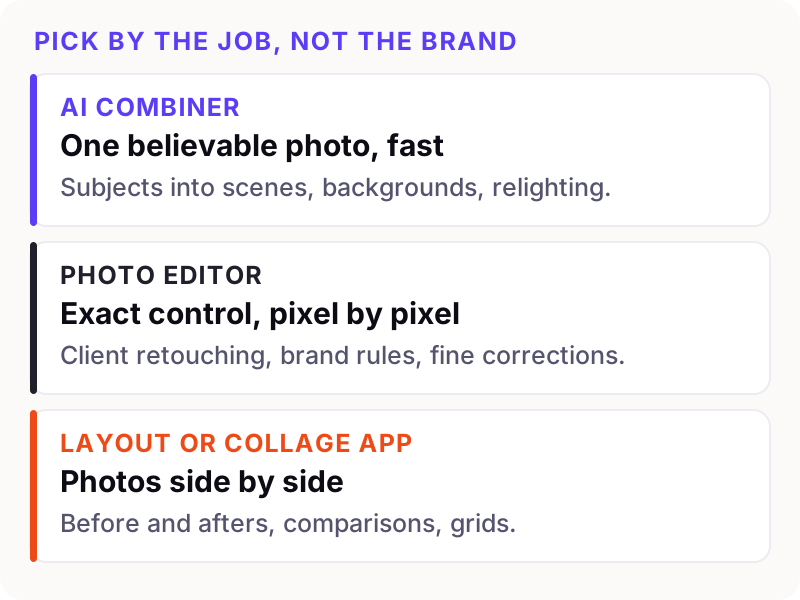
A manual editor is a precision instrument. Every pixel is yours, nothing happens that you did not do, and you can repeat the same result exactly next week. The price is time and skill.
An AI combiner is a speed instrument. You describe the outcome and it builds one. The price is a measure of control: you steer with words, not with a brush.
The trade, line by line
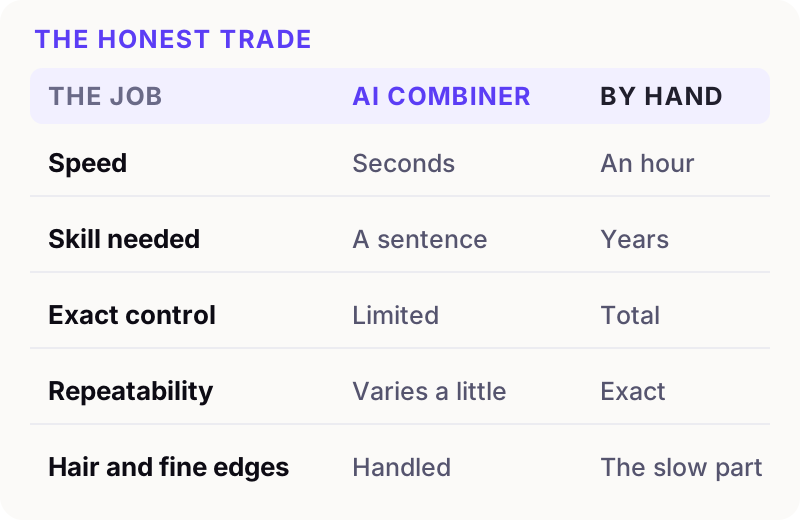
The row people underestimate is the last one. Hair against a complicated background is where manual compositing gets genuinely difficult — the part a retoucher bills an hour for. It is also the thing current models handle well, because they are rebuilding the subject against the new background rather than cutting it out of the old one.
Here is that exact case:
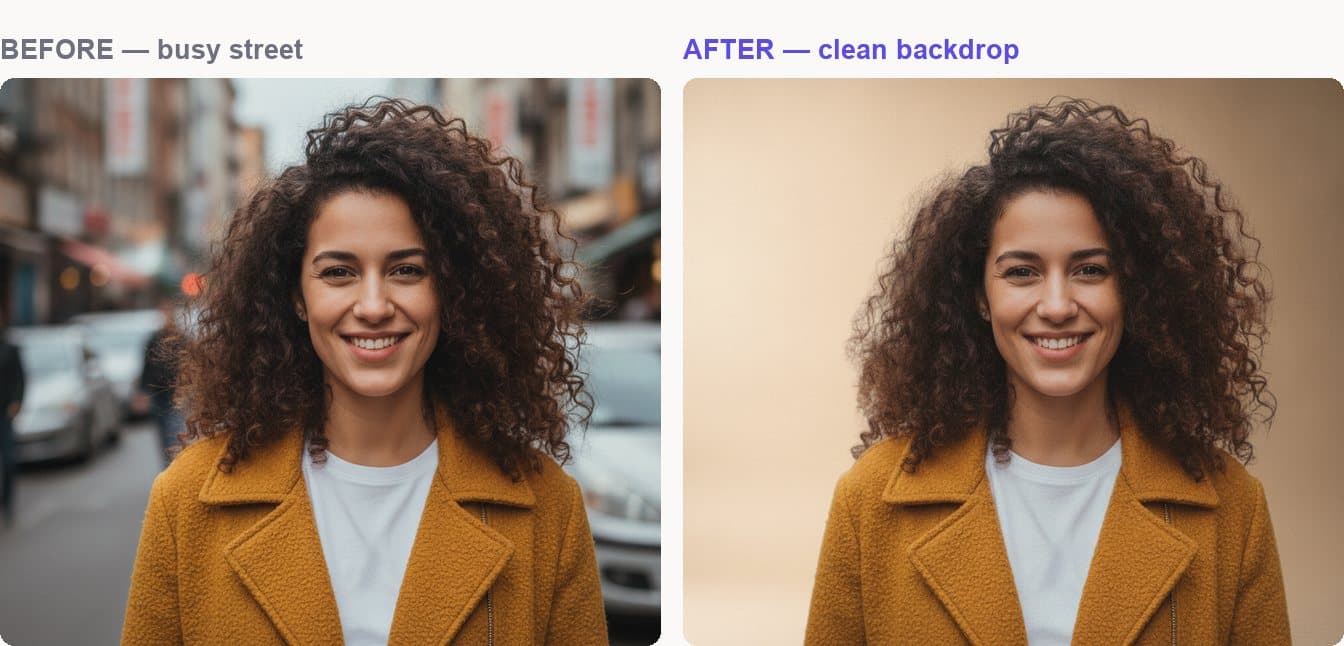
Look between the curls. The new backdrop shows through the gaps, and there is no pale fringe around the edge of her hair. Masking that by hand is a real skill and a real hour.
Where a combiner wins
Volume Twenty lifestyle variations of one product shot. By hand that is a day's work; described twenty times it is a coffee break. Our product compositing checklist covers that case specifically.
Relighting Moving a subject into different light and having the light actually change. Manual compositing can do it, but it is the hardest thing to fake convincingly and the first thing a viewer notices when it is wrong.
People who do not edit The skill floor is a sentence. For most small businesses that is the entire argument, and no amount of feature comparison changes it.
Hair, fur and soft edges As above — the selection problem that eats the afternoon.
Trying things An idea costs seconds, so you try five instead of committing to one.
Where editing by hand still wins
Being straight about this matters more than the sales pitch.
- Exact brand compliance. If a logo must be a precise colour at a precise size, place it yourself. A model gets close; close is not the same.
- Legible text. Small type does not survive generation. Set it in a layout tool afterwards.
- Work you must reproduce exactly. A model varies slightly run to run. If you need this frame again next year identical, you want layers you can reopen.
- Client work with revision rounds. "Move it four pixels left" is a sentence an editor executes and a model only approximately understands.
- Legal or evidential images, where provenance matters and generated content is not acceptable.
What the AI is actually doing
It helps to know why the trade falls the way it does. A manual editor moves your pixels around. An image combiner generates a new photograph that keeps what you told it to keep — which is why it can relight a face, and also why it cannot promise the logo is the exact hex value you specified.
If you want that explained without jargon, Nano Banana, explained covers the model behind most of the good tools right now, including where it still falls over.
The combination most people land on
In practice the two are not alternatives, they are stages. Generate the composite, then open it in whatever editor you own for the last five percent — the exact crop, the logo, the text, the colour tweak.
That order matters. Generating first and correcting after is quick. Building a careful manual composite and then asking a model to adjust it usually undoes your work.
How to decide, in three questions
- Does anything in this image have to be exact? A brand colour, a legal detail, readable small print. If yes, do that part by hand.
- Will I need this again, identically? If yes, you want a layered file.
- Is the hard part a selection? Hair, fur, foliage, a soft edge against clutter. If yes, start with the AI and save yourself the hour.
Most everyday jobs — a person in a better place, a product in a real room, everyone in one family photo — answer no, no, yes. That is image combiner AI's territory, and reaching for a manual editor there is just a slower way to the same picture.
What it costs to find out
The honest answer is a few minutes. Load two photos into the Image Combiner, describe what you want and see what comes back — you can set the whole thing up before an account or a payment is involved, so comparing it against what you would have done by hand costs nothing but the time.
If you want the background first, the AI image combiner guide covers what the technology is doing, and pricing has what a merge costs once you decide it earns its place in your workflow.