AI Photo Combiner: How to Merge Photos That Look Real
An AI photo combiner can put two pictures into one frame in seconds. Whether the result survives a second look depends on choices you make before you upload. Here is what to send it, what to ask for, and what to check.
An AI photo combiner does something that used to take a retoucher an hour: it takes two photographs and returns one, with the subject of the first genuinely sitting in the second. No seam, no cut-out edge, no obvious paste.
The software is the easy part. Every AI photo combiner worth using will hand you something in a few seconds. What separates a merge that holds up from one that everybody clocks immediately is a handful of decisions you make before you upload anything. This guide is about those.
If you want the background on what the technology is and how the tools differ, the AI image combiner guide covers that ground. This one is about getting a good picture out of it.
What people combine, and why it matters which
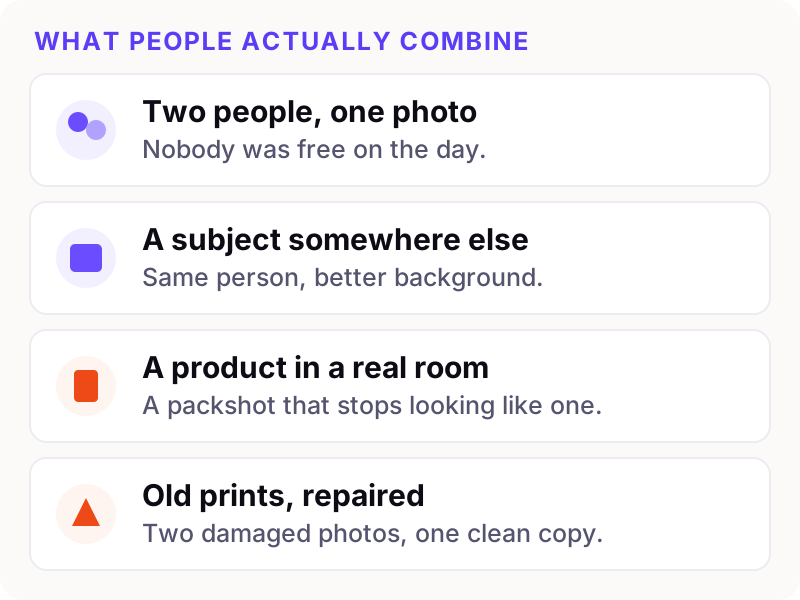
These four are not equally easy, and knowing which one you are attempting tells you where the risk is.
Two people in one photo is the most requested and the most forgiving, because faces photographed straight-on usually merge cleanly. The risk is identity drift — a face that comes back looking like the person's cousin.
A subject somewhere else is a lighting problem more than anything. The scene has a mood and your subject was not lit for it.
A product in a room lives or dies on the contact shadow and the reflection. Our product compositing checklist goes through that case properly.
Old prints are a resolution problem. The model cannot invent detail the print never held.
Three checks before you upload
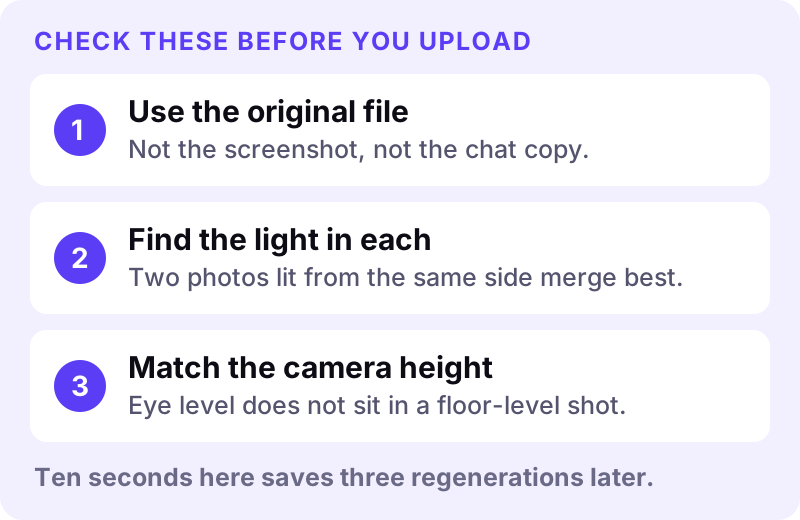
Use the original file
Not the copy someone sent you on WhatsApp, not the screenshot, not the version saved off Instagram. Each of those has been recompressed, and the combiner reproduces that mush faithfully. If the only copy you have is compressed, expect a softer result and crop tighter so more pixels land on the subject.
Find the light in each photo
Look at both pictures and ask where the light is coming from. Two photos lit from roughly the same side merge almost effortlessly. A subject lit from the left going into a scene lit from the right means the model has to relight your subject completely — it can, but the failure rate climbs and the face is usually what suffers.
Where you have a choice of source photos, this single check is worth more than any other.
Match the camera height
A photo taken standing up does not drop naturally into a scene shot from waist height. Look at the horizon in each image. If one is at chest level and the other at knee level, the perspective will fight you, and no wording fixes it.
What it looks like when it works
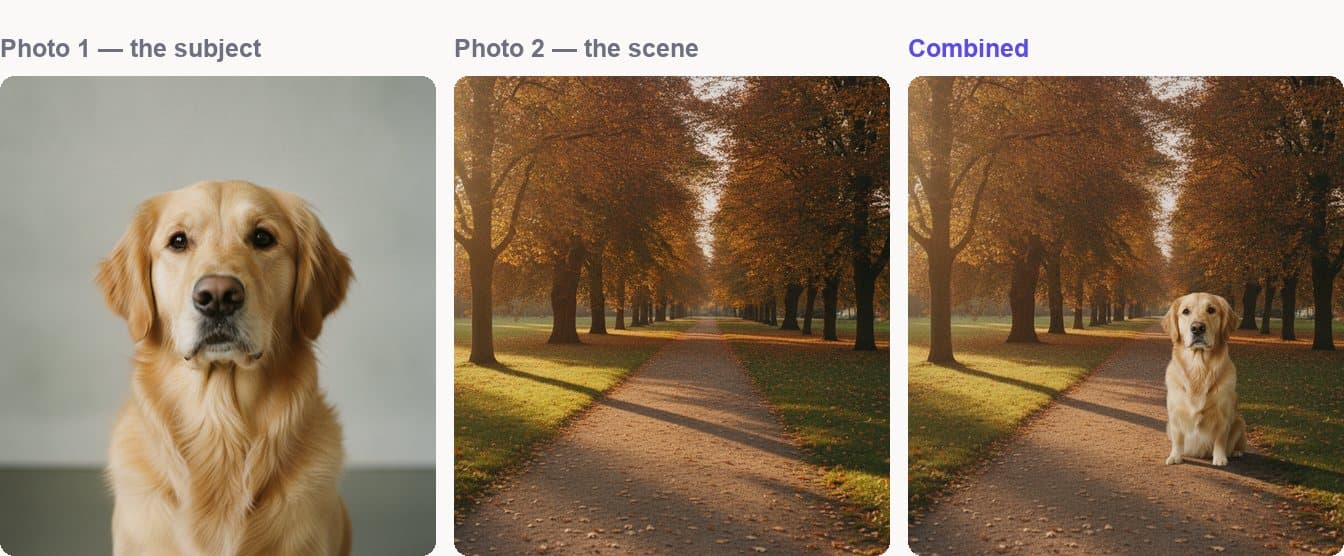
The dog's face, markings and proportions are untouched — that is the part you never want the model reinterpreting. What changed is everything about how it is lit: flat studio light replaced with warm low afternoon sun from the left, and a shadow on the grass that agrees with where that sun is. Nothing in the source photo had that shadow.
That is the whole trick. A combiner that only pastes gives you a person standing in a photo. A combiner that relights gives you a photograph.
Asking for the right thing
A good instruction does four jobs: it names the subject, says where it goes, describes the light, and protects what must not change. That last one is the most valuable and the most often skipped.
The golden retriever from photo 1, sitting on the grass beside the path, lit by the low afternoon sun from the left with a contact shadow on the grass. Keep its face and markings exactly unchanged.
Words that earn their place describe the picture: preserve, unchanged, contact shadow, behind, left of frame, warm evening light. Words that do not: beautiful, stunning, high quality, 8k. Those describe how you feel about the output, and the model already knows you do not want an ugly picture. There is more on this in writing prompts for image merging.
Check five things before it goes anywhere
No AI photo combiner gets every frame right, so look before you publish. Run these in order — about fifteen seconds, and it catches nearly everything.
- Shadow direction. Find the light in the background, then check every shadow runs away from it. One pointing the wrong way undoes the rest.
- Edges. Zoom to 100% around hair and shoulders. A pale fringe means an edge was cut rather than blended.
- Colour temperature. Cool skin in warm light reads as a sticker.
- Scale. A person thirty feet back cannot be as tall as the doorway beside them.
- Contact shadow. The small dark patch where a subject meets the ground. Without it, they float — and it is the detail most tools skip.
When to stop rewriting and change the input
If two carefully worded attempts fail in the same way, stop editing the sentence. The problem is upstream: a source that is too small, too dark, or too compressed. Recrop, find a better original, or pick a different pair. A third rewording will not rescue a 400-pixel face.
Where an AI photo combiner is the wrong tool
Worth knowing so you do not waste an evening:
- You want the two photos shown next to each other, not blended. That is a layout job — see how to put two images side by side.
- You need legible small text preserved. A logo usually survives; a paragraph of ingredients will not.
- You need exact counts or precise architectural geometry. Both still drift.
- The detail was never captured. No model recovers a face that was forty pixels wide.
Getting started
You can upload both photos, arrange them, write the instruction and set the output shape without an account — an account and credits are only needed for the generation itself. Open the Image Combiner, or see the pricing page for what a merge costs.
If your case is specifically getting two people into one shot, Two people, one photo is set up for it. If it is replacing a background, Background swap starts you in the right place. And how it works walks the whole flow end to end.