Image Stitcher vs Image Combiner: Which One Do You Need?
An image stitcher widens one scene from overlapping frames. An AI image combiner builds a new scene from different photos. Picking the wrong one is why people spend an evening getting nowhere.
Two tools get confused constantly, and the confusion costs people hours. An image stitcher joins overlapping photographs of one scene into a wider frame. An AI image combiner takes different photographs and builds a single new scene out of them.
They sound similar. They are not remotely the same job, and neither can do the other's.
The difference in one picture
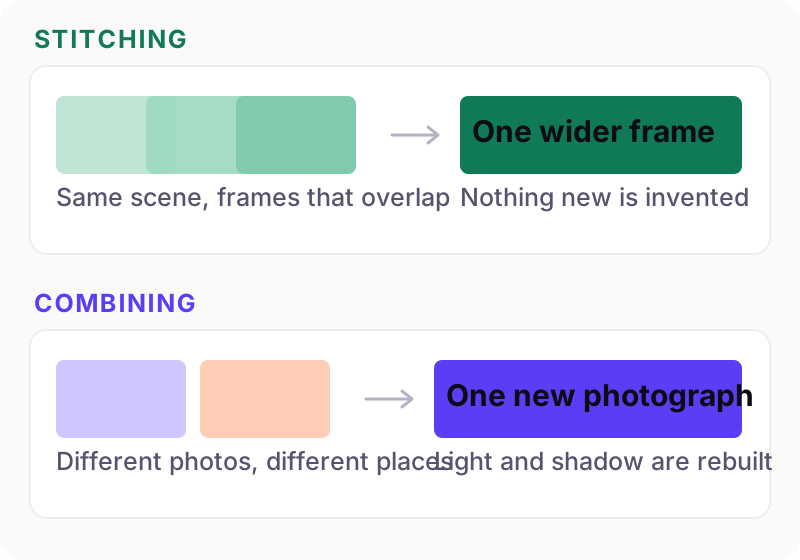
Image stitching is fundamentally an alignment problem. Your frames already contain everything the final image needs — the software works out how they line up and blends the seams. Nothing new is created.
A combiner is a generation problem. The final image contains something no source photo held: your subject, lit by a light that never fell on them, casting a shadow that never existed. That requires a model that understands scenes, not just an algorithm that matches pixels.
When you want an image stitcher
Panoramas
The original use. You stand in one spot, pivot, and take a sweep of frames. A stitcher aligns the overlaps and gives you a frame far wider than your lens.
Documents and artwork too big for the scanner
Scan a large print or map in sections with generous overlap and stitch them. Flatbed scanners give you consistent light and no perspective shift, so these stitch almost perfectly.
Long screenshots
Capturing a whole web page or a long chat thread means scrolling and grabbing several screens. Stitching joins them into one tall image. Overlap a few lines of text each time so the software has something to match.
Detail shots of something large
Photographers shoot a building or a landscape in a grid of frames and stitch them, ending up with far more resolution than one exposure could hold.
In every case the giveaway is the same: you are photographing one thing that will not fit in one frame.
What a stitch actually looks like
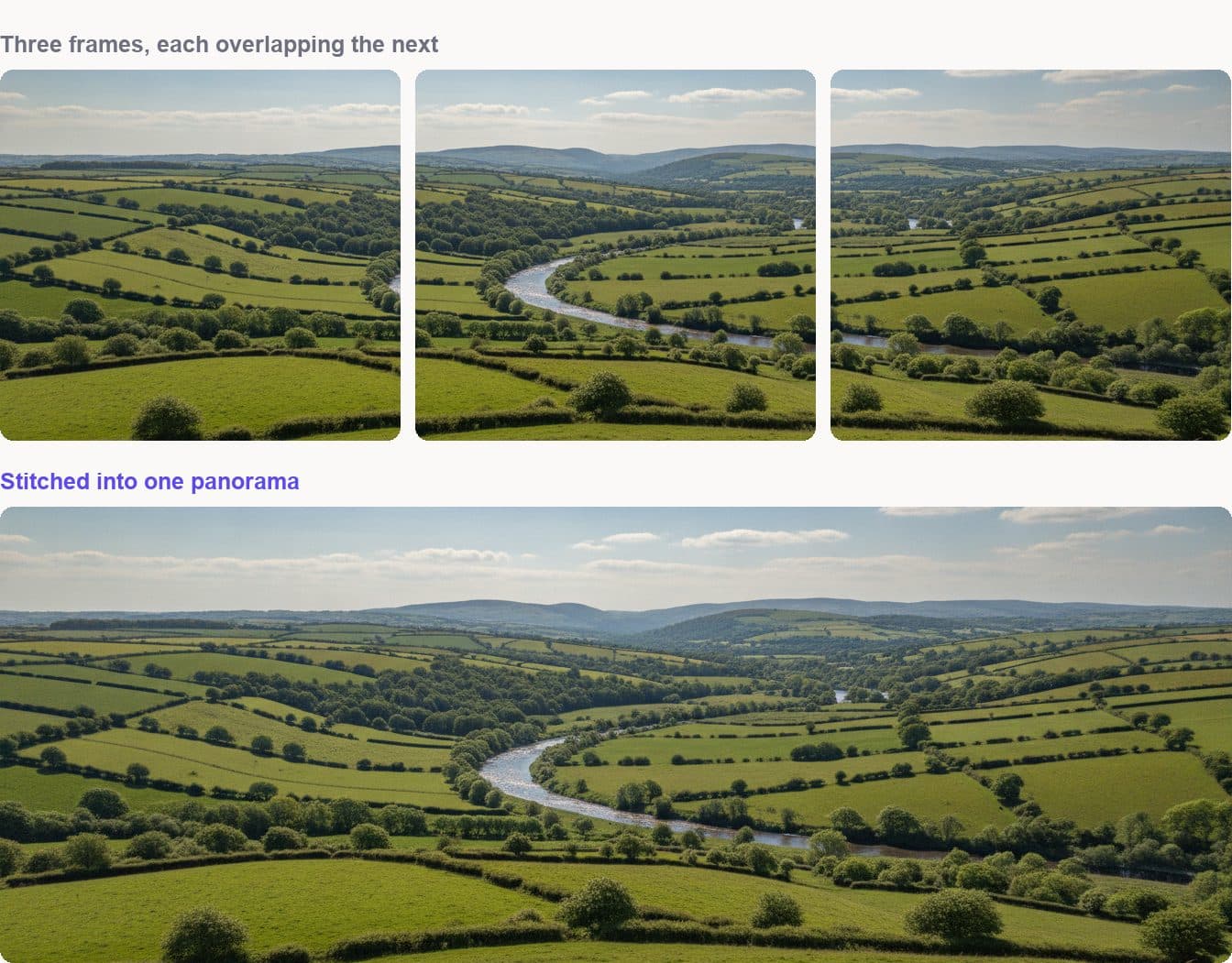
Notice how much the frames share. That repeated ground is what the software matches on — without it, there is nothing to align and the stitch either fails or guesses.
Four reasons a stitch comes out wrong
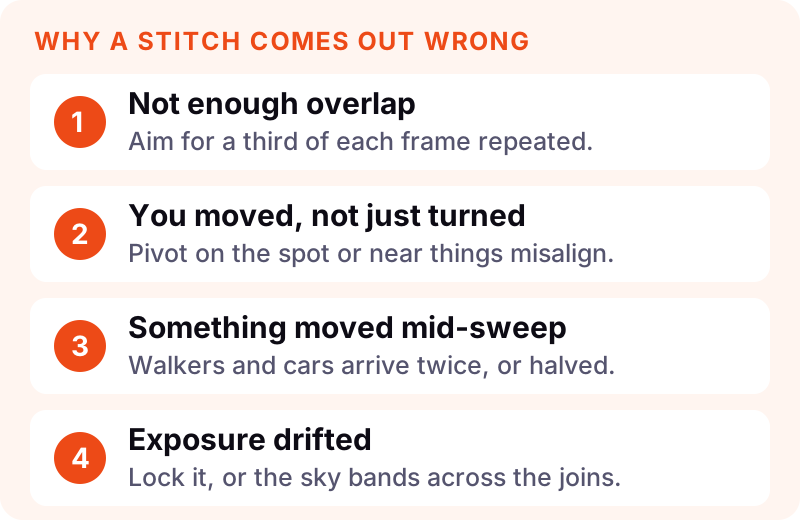
Not enough overlap is the commonest. Aim for roughly a third of each frame repeated in the next. Overlap is cheap; re-shooting is not.
Moving instead of pivoting causes parallax — near objects shift against far ones between frames, and no amount of clever software can reconcile that. Turn on the spot rather than stepping sideways.
Something moved mid-sweep. A walker crossing your sweep ends up duplicated, or sliced in half at a seam. Wait for a clear moment, or expect to patch it.
Exposure drifted. If your camera re-meters on each frame, a bright sky will band visibly across the joins. Lock exposure and focus before you start.
Which stitcher should you use?
Honest answer: for most people the one already on the phone. Image stitching is a mature, well-solved problem, and the built-in panorama mode handles ordinary sweeps as well as anything you would pay for.
On a phone
Panorama mode in the native camera app stitches as you sweep, and will tell you off for moving too fast. For screenshots, both iOS and Android now capture scrolling screens directly, which beats stitching them by hand.
On a computer
Desktop photo managers and dedicated stitching tools give you control over projection and lens correction, which starts to matter on very wide sweeps where straight lines bow. That is the point at which free tools run out of road.
The software matters far less than the four rules above. A careful sweep stitched by a phone beats a sloppy one stitched by expensive software.
When you want a combiner instead
If your two photographs show different things — a person and a place, a product and a room, two people who were never in the same postcode — a stitcher has nothing to work with. There is no overlap to align, because the pictures have nothing in common.
That is the job an AI image combiner exists for. It does not align; it rebuilds. The subject gets relit for the new scene and given a shadow that agrees with the light already there.
A quick test that settles it almost every time:
- Could the two photos have been one photo, if only your lens were wider? You want a stitcher.
- Could they never have been one photo, because the subjects were never together? You want a combiner.
What neither tool will rescue
- A stitch with no overlap. Nothing can align frames that share no ground.
- A merge where the subject is tiny. A forty-pixel face does not come back sharp.
- Fine text. Both stitching seams and generated edges tend to mangle small type.
- Honesty problems. Neither tool decides whether a composite is appropriate to publish. That is on you — and if the photos involve other people, what happens to your uploads is worth two minutes of your time.
Where to start
If you are widening one scene, almost any panorama tool on your phone will stitch it, and the four rules above matter more than the software you pick.
If your photos show different things and you want one believable picture out of them, that is what we build. Load both into the Image Combiner and set it up before paying anything — or read how to AI combine two images for the whole process first.
And if you only want the two pictures next to each other rather than joined, neither tool applies — how to put two images side by side covers that in five methods.